I want to buy from ikea.com as an agent. Find the prices and how to pay.
Evals: Journeys
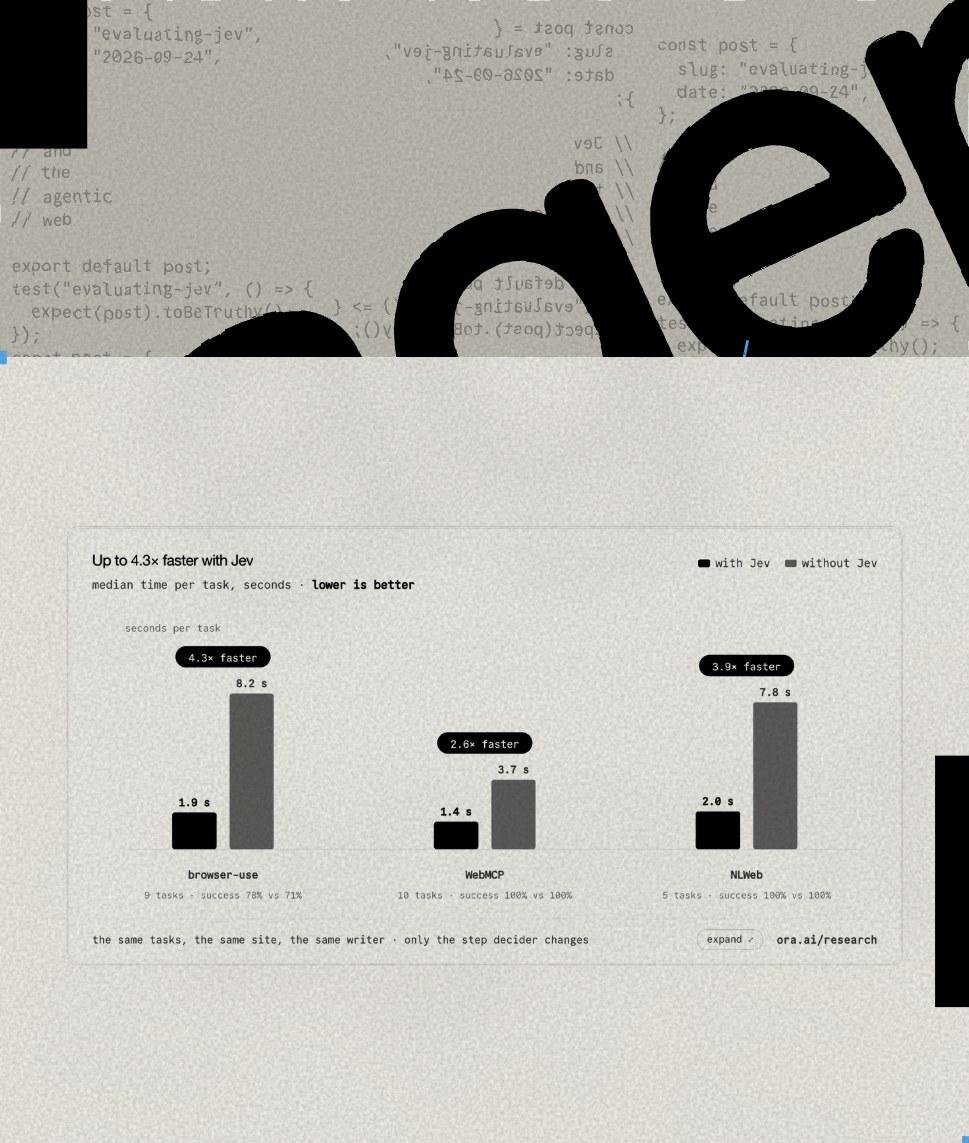
Give an agent a task. Fix where it fails.
Pick from several agents to run your task on your live site. Each run records every step.
See every step an agent takes.
Each run records the pages, searches and clicks, then shows where the agent stopped and why.
A real run on ikea.com, November 3, 2026.Read the full report
From your agent or terminal
Run journeys from a command.
From your coding agent over ora’s MCP server, or from a terminal with ax.
Research finding
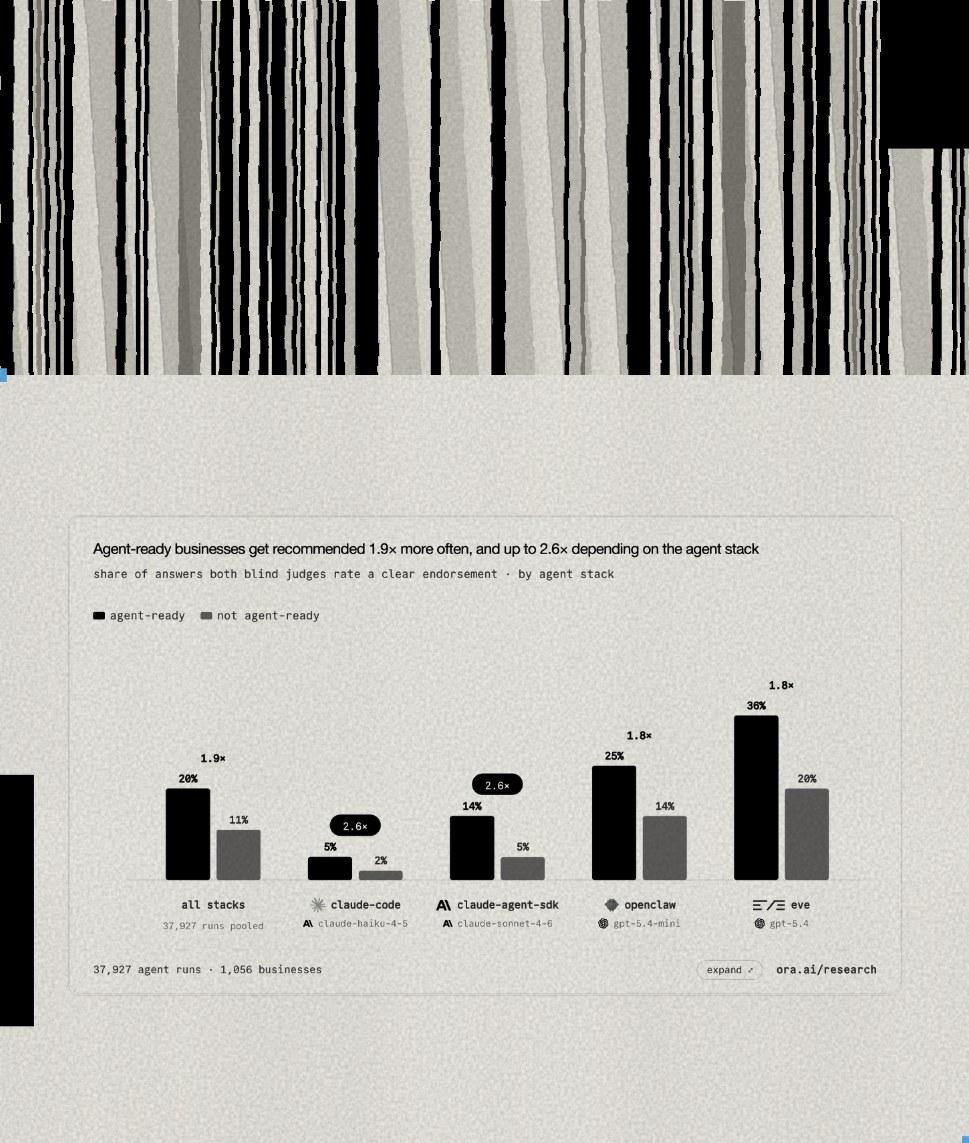
If your site fails, agents do business elsewhere.
From our study of 37,927 agent runs on 1,056 businesses, on Claude and GPT agents.
- 1.9×
- more often an agent clearly recommends an agent-ready business (20% against 11%).
- 3.7×
- more likely to miss every fact the buyer asked for, when the agent answers without your site.
- ~99%
- of journeys that hit a dead end on a site still end in an answer, built from whatever the agent found elsewhere.
- 25%
- of the answer comes from web search when a site is not agent-ready, against 12% when it is.
Journeys Pro
Rerun your key tasks on every release.
Journeys Pro reruns them on each deploy and tells you which step broke, in Slack or by email.
Frequently asked
Which agents run the journeys?
Claude Code, ChatGPT and OpenClaw. Each one runs your task on your live site with no help.
Do I need to install anything?
No. Enter your domain and pick a task. The agent visits your public site the way any visitor would. To run journeys from your coding agent or a terminal, add ora's MCP server or install ax with npm install -g ax.
MCP or CLI?
Both run journeys. MCP keeps them in your coding agent's sessions. ax fits terminals and scripts, and only ax runs a set of journeys, which takes an ora sign-in (ax login).
How is a journey different from my Ora score?
Your score checks what your site offers agents, check by check. A journey watches one agent try one task from start to finish, so you see the exact step where it stopped.
What does Journeys Pro add?
It reruns your key tasks on every deploy and tells you which step broke, in Slack or by email.
Our research
Journeys Pro
Catch the broken step before your users do.
Your key tasks rerun on every deploy, and you hear which step broke.